Pose AI – AI Pose Generator to Change or Create Poses in Photos
Pose AI is an AI pose generator that solves everyday pose problems—from creating the best pose for the scene in front of you, to changing the pose in an existing photo, to generating multi-angle poses for the same outfit or character. Upload a background or person photo, choose a pose mode, and Pose AI turns it into clear, natural poses and finished images you can use for travel shots, social posts or product photos—no reshoots, no Photoshop.
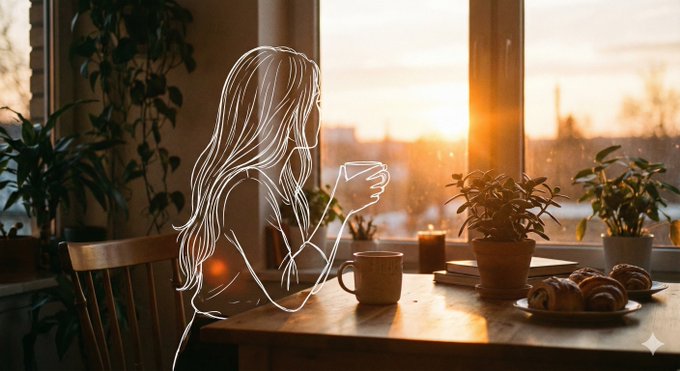
AI Pose Generator
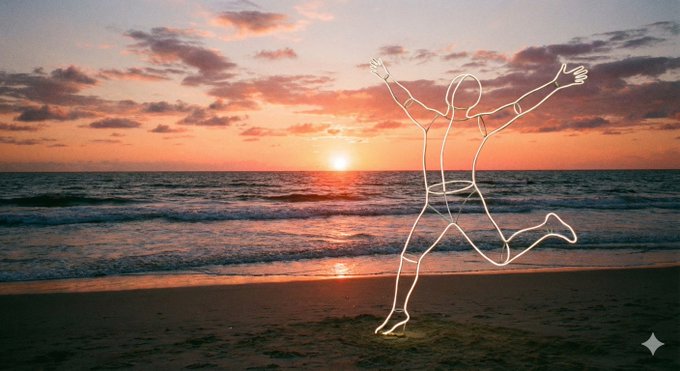
Upload the scene in front of you and let our AI pose generator, Pose AI, draw a clear white pose outline on top, so you instantly see how to stand and pose.
Pose AI Modes & Key Features
Explore AI-powered pose modes inside our AI pose generator that turn any photo or background into clear, ready-to-use poses.
Background-to-Pose – Match Your Pose to the Scene
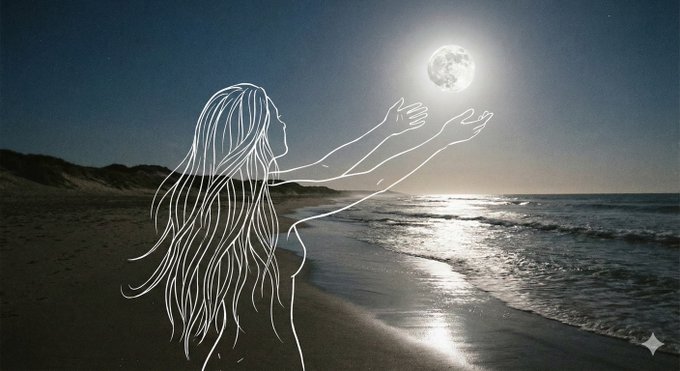
Take a photo of the scene in front of you — a beach sunset, a café window, a city street or your living room — and upload it to Pose AI. Background-to-Pose analyzes the composition, horizon line and light direction, then draws a clean white line-art pose directly on top of your background. You instantly see where to stand, how to angle your body, what to do with your hands and which way to look. Instead of scrolling random pose ideas, you get a pose guide tailored to this exact background, ready to copy in real life.
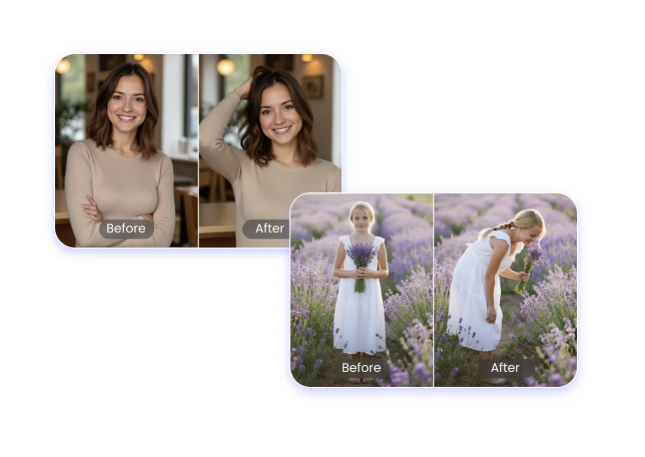
Change Pose in Your Photos with AI
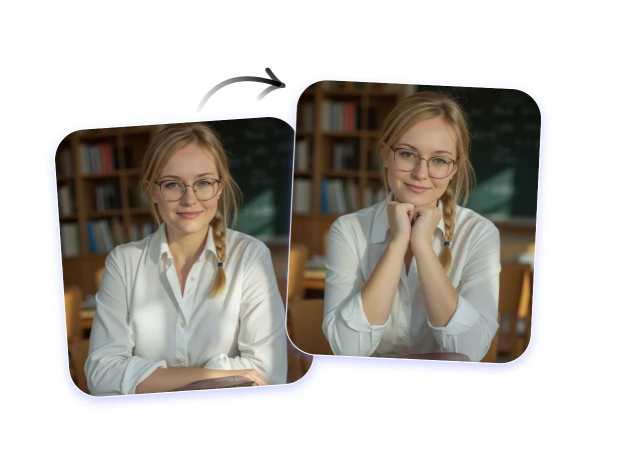
Upload a photo of yourself, then either choose a pose from our presets or upload your own reference pose (hands on hips, side standing, walking, sitting on a chair, etc.). Pose AI keeps your original face, outfit and lighting, and only changes your body posture. It's perfect for refreshing profile photos, creating more confident poses for your CV or LinkedIn, or trying different vibes for social media without doing a full reshoot.
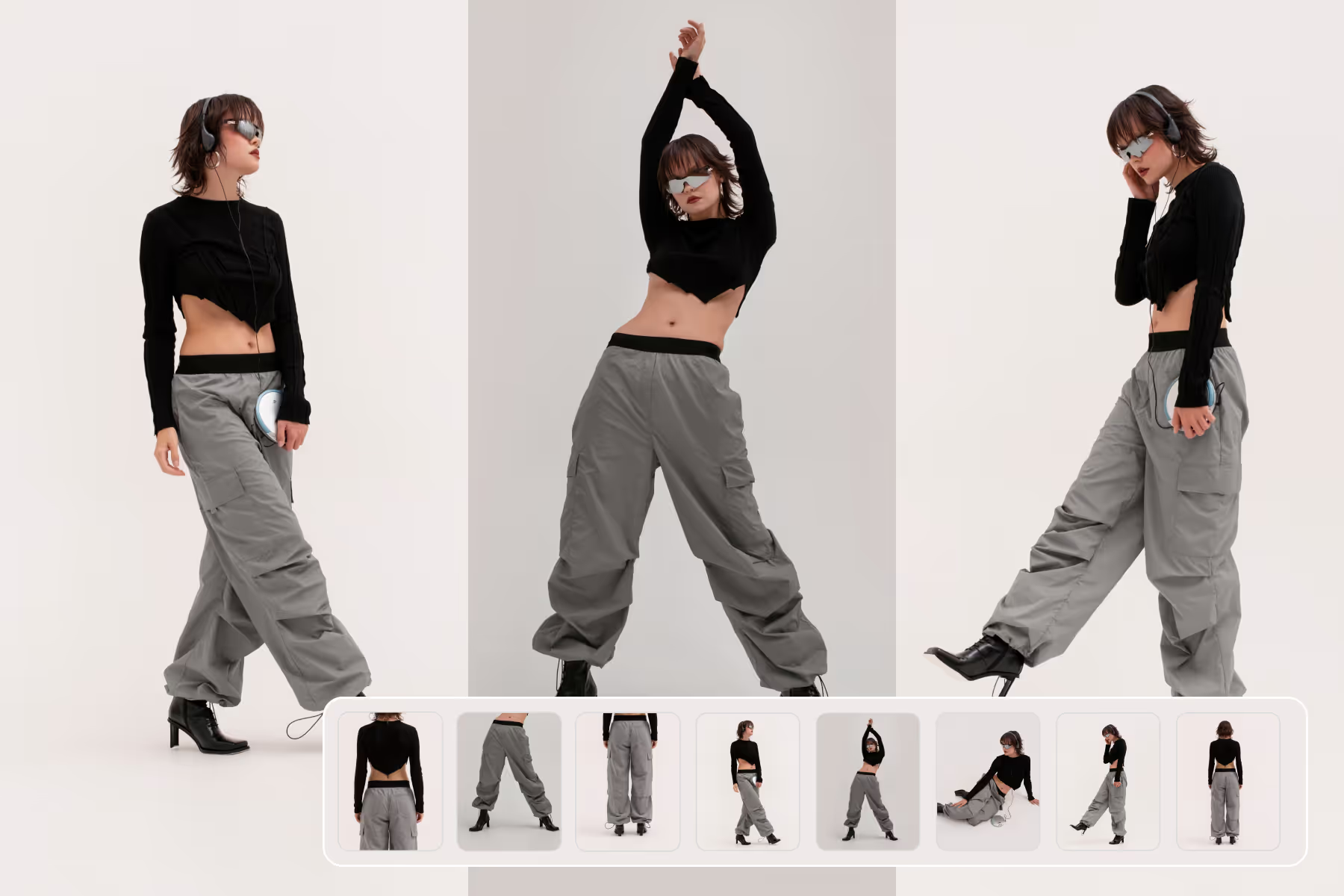
Multi-angle AI Model Poses from One Photo
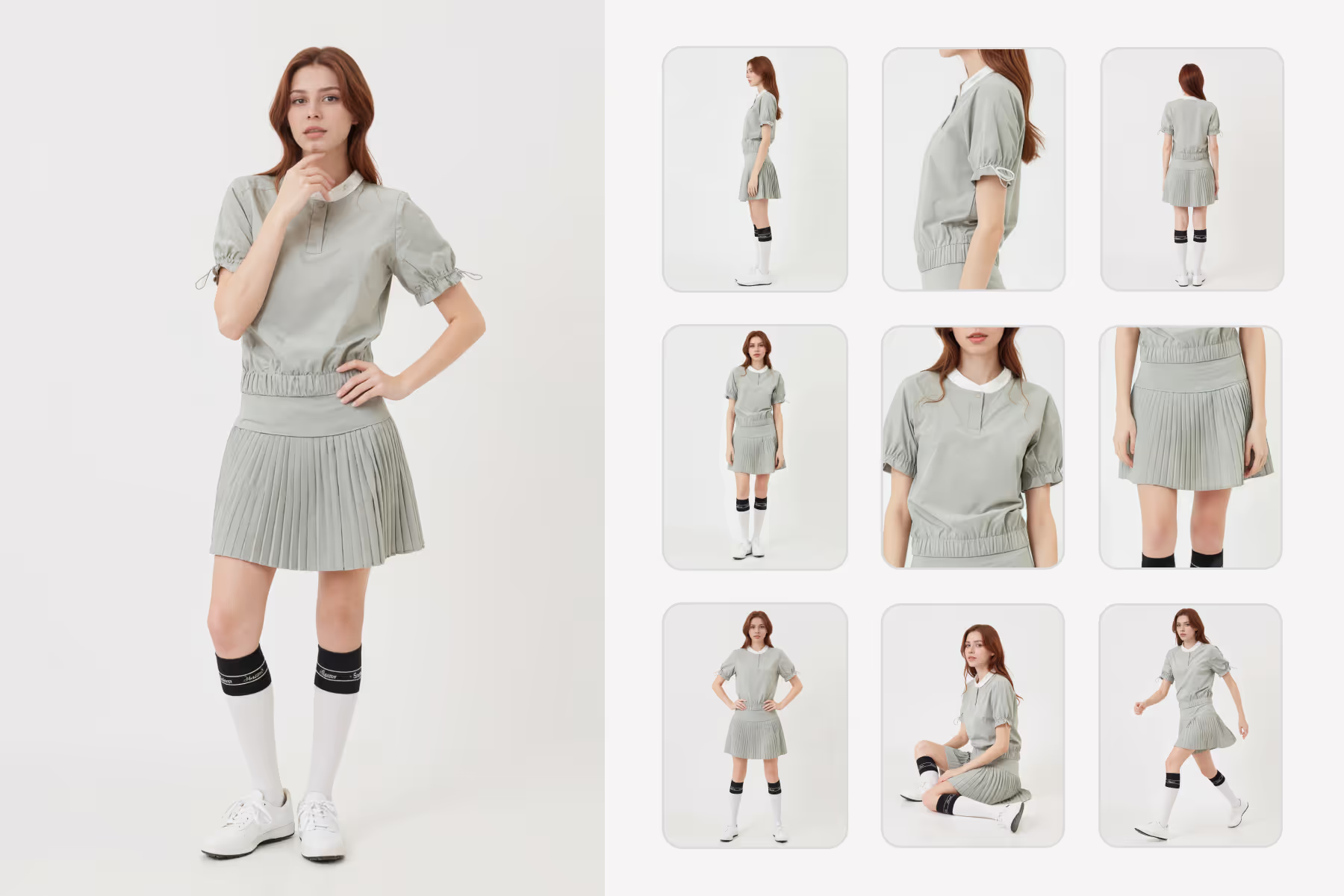
Upload a single full-body photo of yourself or your model, then choose the angles you need—front, 3/4 view, side, back, close-up and more. Pose AI automatically creates a matching set of photos for each selected angle, with studio-like poses that look natural and flattering. Your face, outfit and overall style stay consistent, while every image shows a different view of the same look. Perfect for fashion sellers, product pages and outfit posts that need a complete gallery without organizing a full photoshoot.
Draw-to-Pose: Draw a Stickman, Get a Real Pose
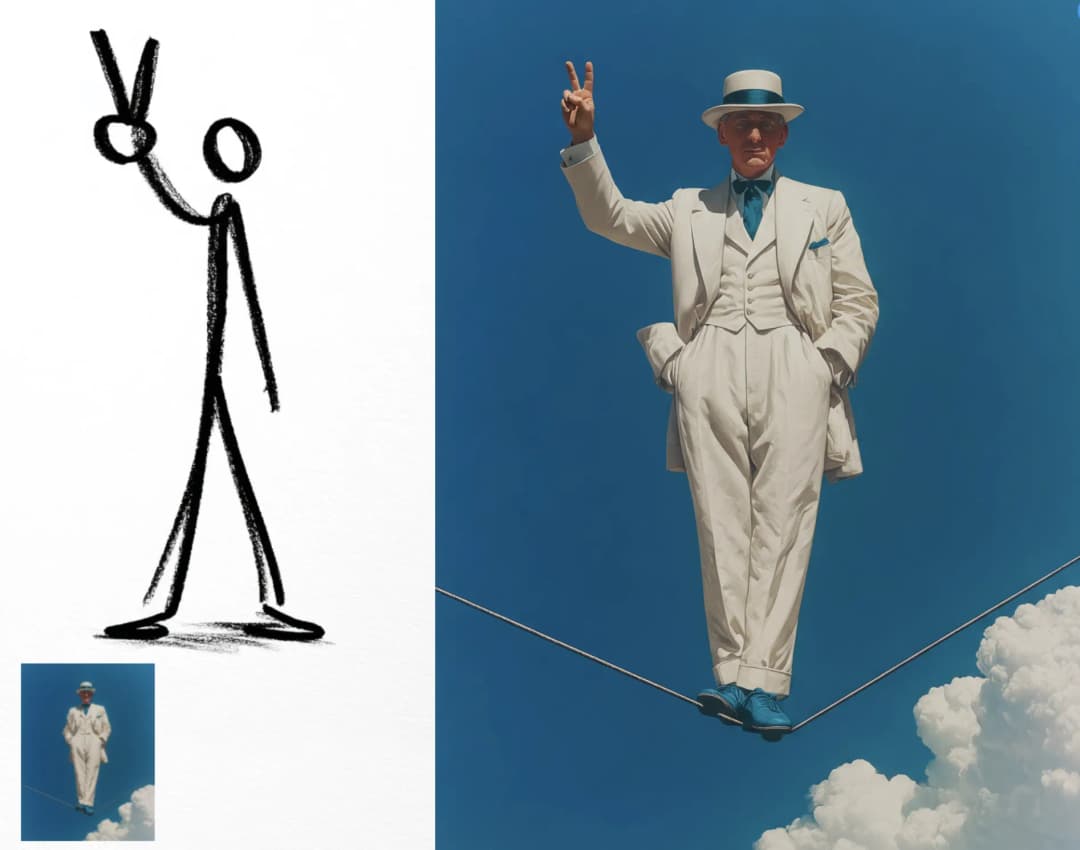
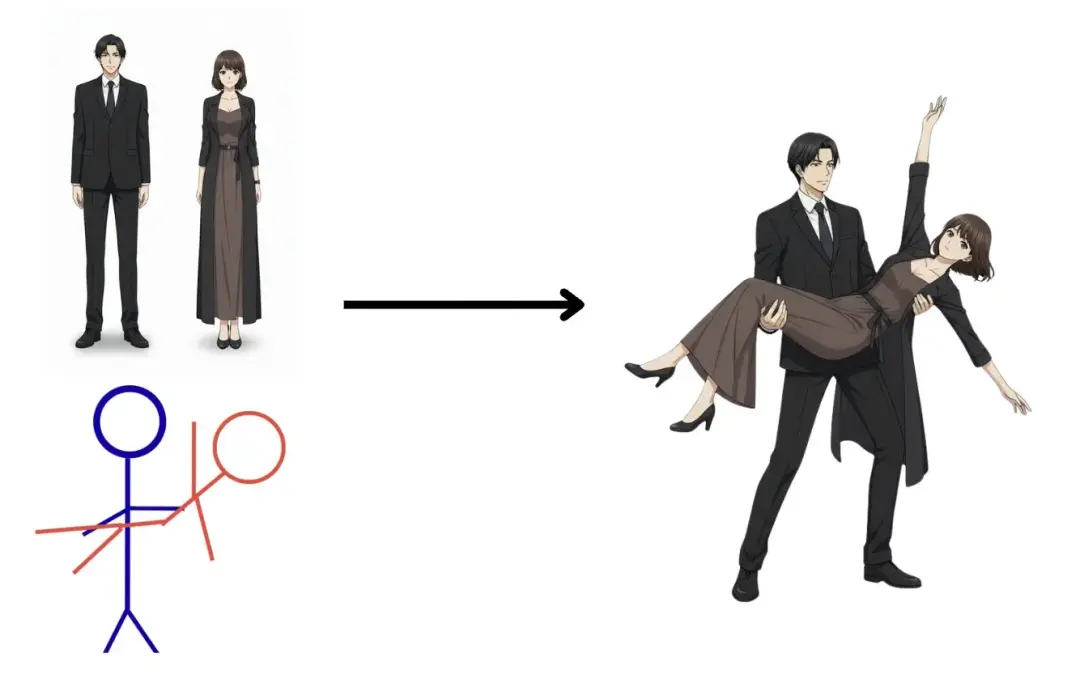
Upload a photo of yourself, then sketch a simple stick figure on top of it or on a blank canvas. Pose AI reads your lines and re-poses your body to match the drawing — same face and outfit, brand-new pose. You control head tilt, arm angles and leg position with just a few strokes, perfect for custom actions, couple poses, dance moves or any pose you can't find in reference photos.
How to Use Pose AI
Every pose starts from a simple photo. Pose AI then understands what you want and turns it into clear, ready-to-use poses in just a few steps.
Upload a Base Photo
Start with a background, a portrait or a full-body photo—anything you already have on your phone.
Tell Pose AI Your Needs
Choose what you're trying to achieve: match a pose to the background, improve a pose in your photo, create multi-angle shots or design a custom action.
Pose AI Generates
Pose AI analyzes the person, outfit and scene, then outputs clear pose overlays or finished photos you can copy, share or publish.
Pose AI Examples
Browse real before-and-after samples to see how Pose AI turns everyday photos and simple backgrounds into clear, well-posed images ready to share or publish.
Who Pose AI Is For
From people who freeze in front of a nice background to brands that need full model galleries, Pose AI helps anyone get clear, consistent poses—without a studio, a photographer, or hours of trial and error.
Travel & Everyday Photos
Perfect for trips, dates, café afternoons, and family moments. Use Background-to-Pose to upload the scene in front of you and get a line-art pose tailored to that exact location and light.
Social Media Creators & Professionals
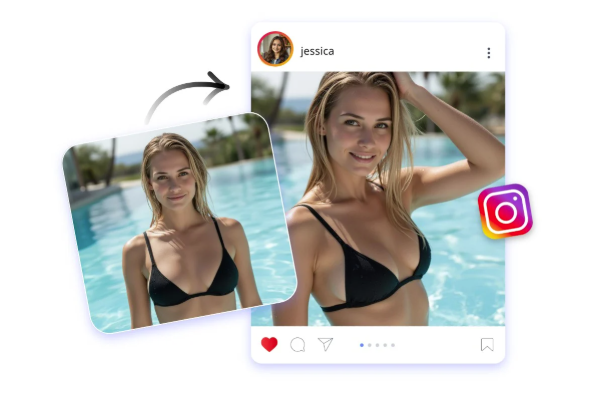
Creators, influencers, and professionals can use Change Pose to refresh profile photos, LinkedIn/CV head-to-toe shots, or try different vibes for Reels, TikTok, and Instagram—same face and outfit, new pose each time.
Fashion Brands & Ecommerce Sellers
Use Multi-angle AI Model Poses to turn one model photo into a complete gallery—front, side, back and close-ups—with consistent style and outfit details. Ideal for product pages, lookbooks and outfit grids.
Artists, Dancers & Storytellers
Illustrators, animators, dancers and storytellers can sketch custom actions with Draw-to-Pose—draw a stickman, and Pose AI turns it into a realistic pose of your character. Great for complex moves, couple poses and scenes you can't find in reference photos.
User Testimonials
How travelers, creators, sellers and artists use Pose AI's AI pose generator to turn "I don't know how to pose" moments into confident, ready-to-share photos.

"Background-to-Pose completely changed how I take travel photos. I just upload the view in front of me, follow the white outline, and every shot looks intentional instead of random."

"Change Pose is my secret weapon for profile photos. I keep the same outfit and lighting, try three or four poses with AI, and only post the one that feels most confident."

"With Pose AI's multi-angle poses, one model photo becomes a full product gallery—front, side, back and detail shots. We cut our shooting time and budget by more than half."

"I use Draw-to-Pose for choreography and story shots. I sketch a quick stickman, and Pose AI turns it into a realistic pose that I can actually recreate on camera."

"As a small fashion brand, we don't have budget for constant studio shoots. Pose AI's AI pose generator lets us refresh our lookbooks and product photos whenever we want, straight from existing images."

"On portrait sessions, Pose AI's AI pose generator feels like an extra assistant. Clients see clear pose guides, relax faster, and we get strong, well-posed photos in a fraction of the time."
Simple, Transparent Pricing
Choose the perfect plan for your needs.
Starter
Includes
- 200 credits per month
- Fast generation
- High-quality downloads
- Commercial License
- Private generation
- Cancel anytime
- Standard customer support
Standard
Includes
- 1000 credits per month
- Fast generation
- High-quality downloads
- Commercial License
- Private generation
- Cancel anytime
- Priority customer support
Premium
Includes
- 3200 credits per month
- Fast generation
- High-quality downloads
- Commercial License
- Private generation
- Cancel anytime
- Priority customer support
FAQ – About Pose AI
Answers about Pose AI, our AI pose generator, its pose generation modes, how to use it, and how you can safely apply the results in real projects and content.
Ready to Try Pose AI?
Use Pose AI, our AI pose generator, to turn any scene or photo into clear, flattering poses in seconds—whether you're shooting travel photos, outfit looks or product shots.